Overview
The Centralized Template Approval Feature allows you to centrally approve any set of Fixers for any set of accounts you have. This means you no longer have to login to your respective AWS account each time for approval, thus simplifying and speeding up the process of approving cost saving fixes.
Information
Below steps can be followed to enable this feature:
- Login to the CloudFix user interface.
- Navigate to
Settings > Finders & Fixers. - In the Finders & Fixers table, check the box in the
Auto Approve Templatescolumn for each Finder/Fixer you want CloudFix to automatically approve Change Templates for, then clickSave.
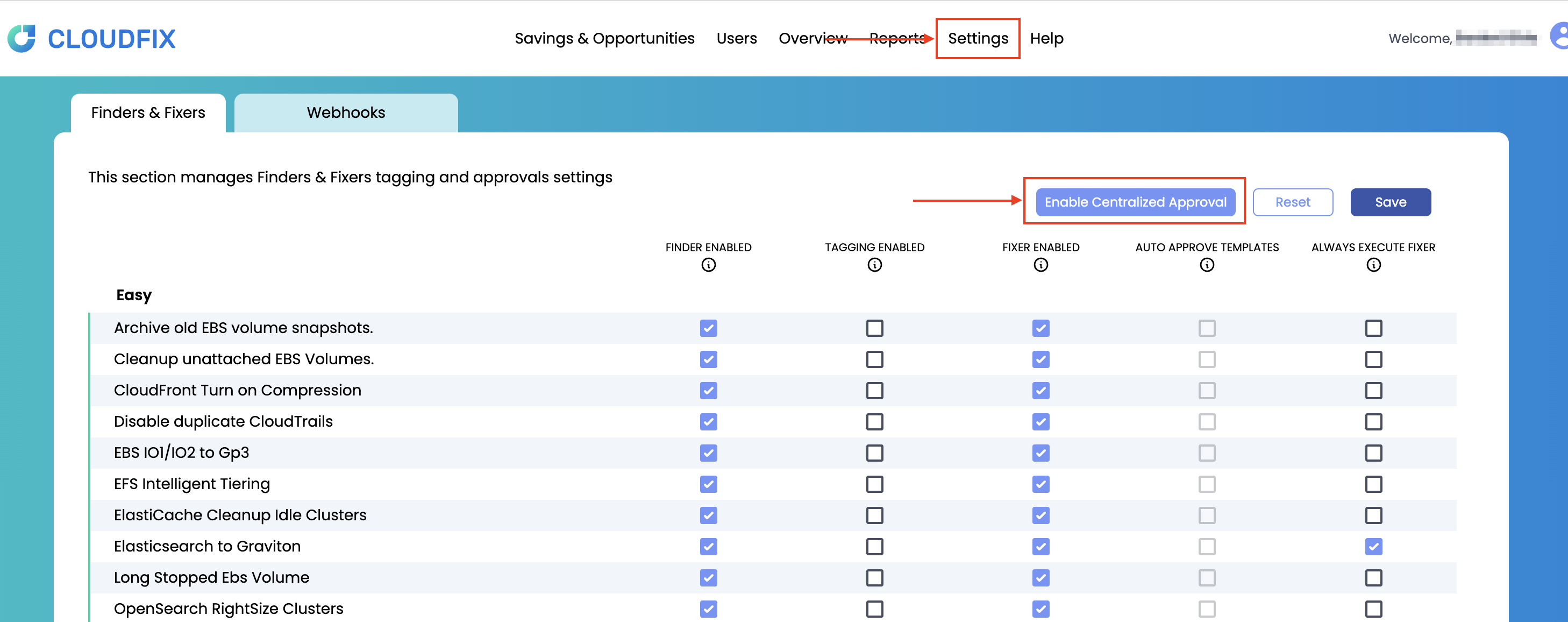
- The first time you check
Auto Approve Templatesfor any Finder/Fixer, a dialog explains that this adds permissions to the OrgRoleStackSet in your AWS account that allow CloudFix to approve Change Templates on your behalf. Review this notice before continuing - see Security implications below.
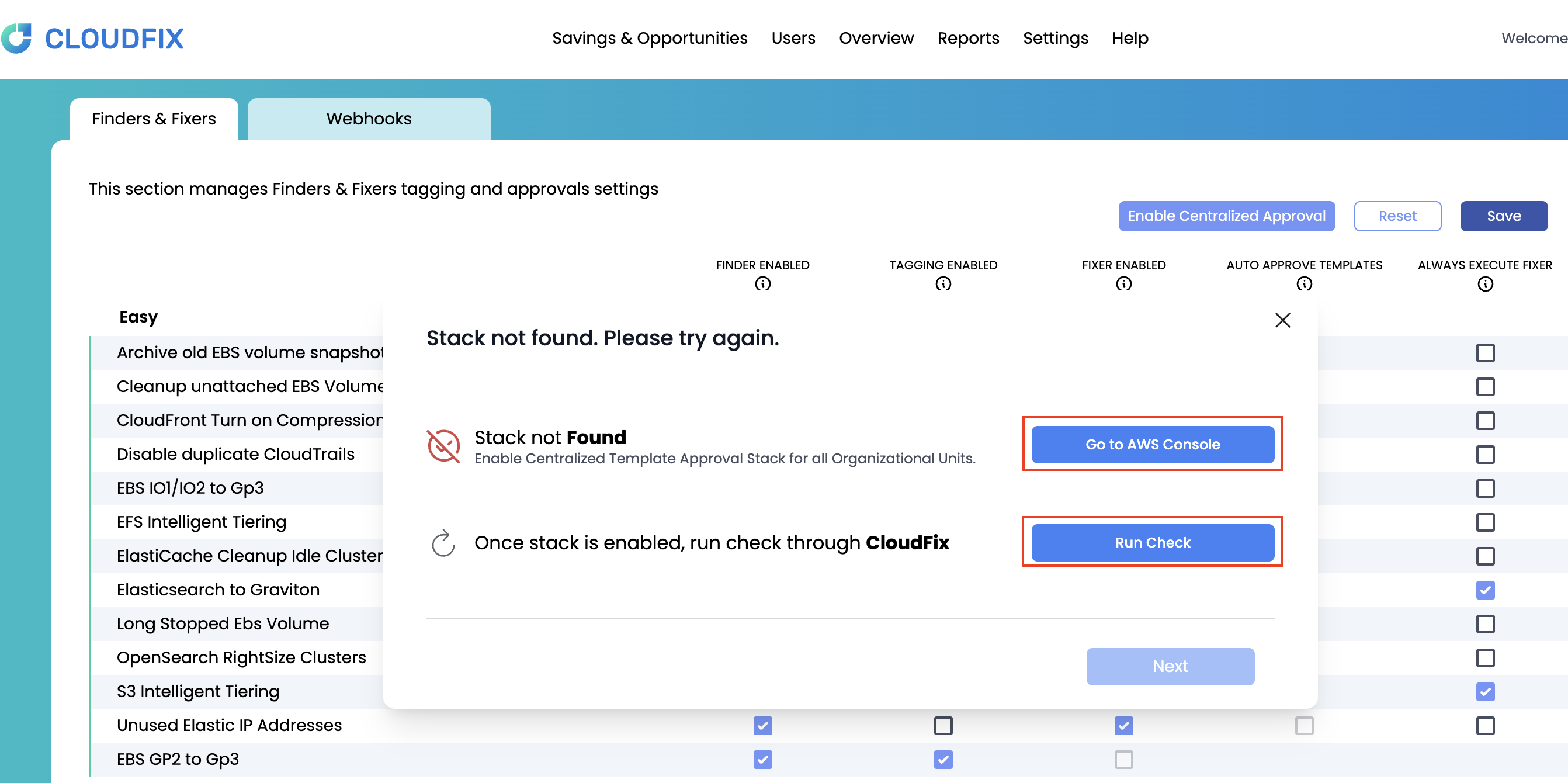
- If your account's CloudFormation stack needs to be updated to grant these permissions, CloudFix will prompt you to update the OrgRoleStackSet stack in the AWS Console. Once the updated stack is deployed, CloudFix will use the added permissions to automatically approve the Change Templates for the Finders/Fixers you selected.
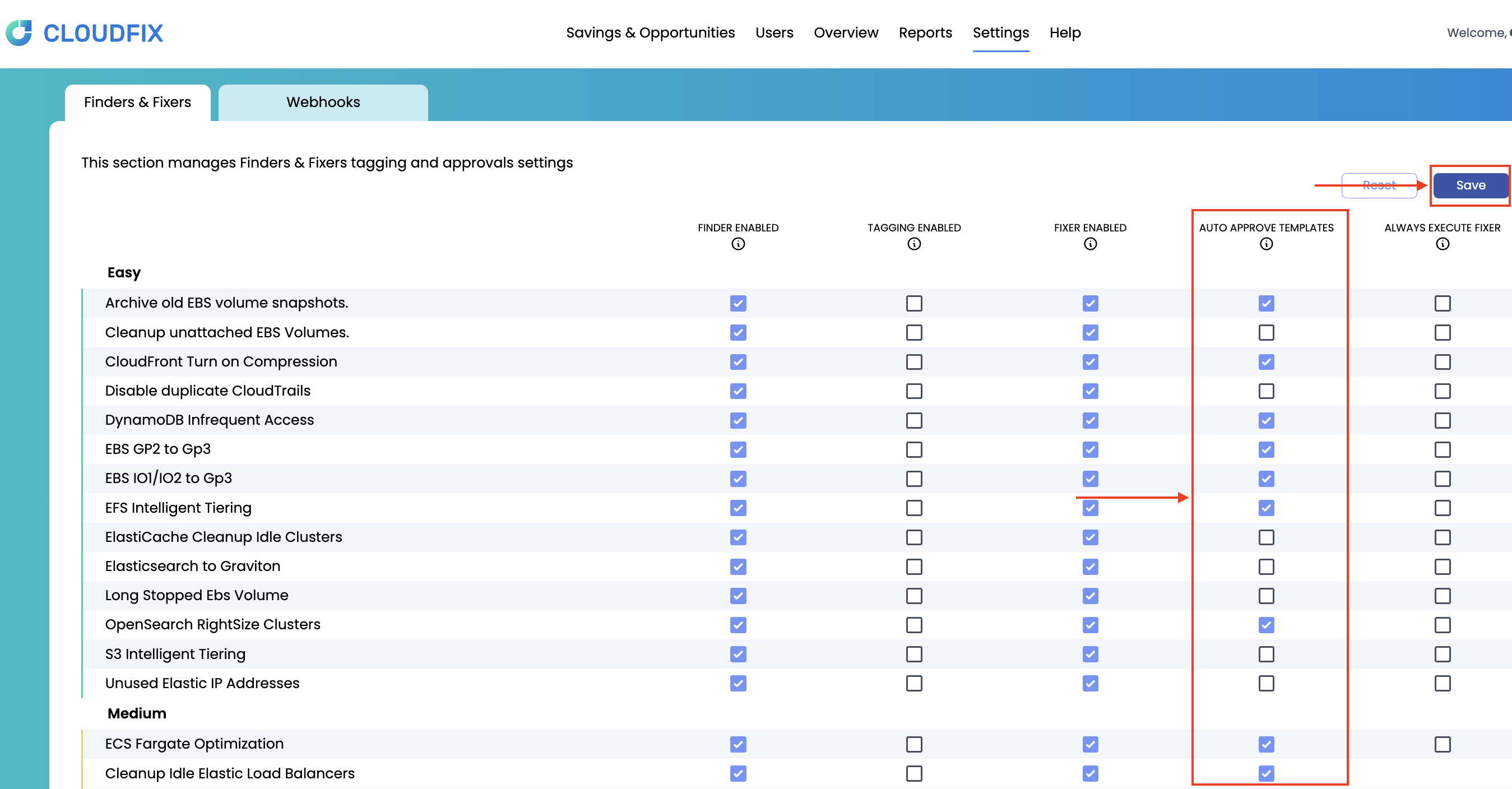
Once this is completed, CloudFix will only use the related permission/role to auto-approve the Templates that you have selected.
Note: The Templates and their Runbooks will continue to reside in your AWS account for your viewing and validation. The Centralized Template Approval only simplifies and centralizes the approval process itself and there are no changes in any of the related Finders and Fixers.
Security implications
Enabling Centralized Template Approval is a deployment-time change to the trust policy of the cloudfix-fixer-approver-role in your AWS account - the role that lists and approves SSM change templates - and it is worth understanding exactly what changes before you turn it on:
- By default (Centralized Approval disabled):
cloudfix-fixer-approver-roletrusts your account root only. Approval authority rests entirely with you, and CloudFix has no path to approve its own changes. - With Centralized Approval enabled: the role's trust policy is additionally updated to trust two CloudFix roles, gated by an
sts:ExternalIdcondition unique to your tenant. This is what allows CloudFix to approve Change Templates on your behalf from the CloudFix portal, instead of you approving them in the AWS Console. - This is a choice you make at deployment time, and the change is visible in the updated OrgRoleStackSet CloudFormation template that you review and deploy yourself - CloudFix cannot enable it without your explicit stack update.
- The role that actually executes an approved change,
cloudfix-ssm-assumed-role, is unaffected either way: its trust policy admits onlyssm.amazonaws.com,lambda.amazonaws.com, and your account root, and it can never be assumed by CloudFix directly.
Note: If your organization requires that approval authority remain entirely in-house, leave Centralized Template Approval disabled and continue approving each Change Template from the AWS Console.
For the full breakdown of the fixer roles (cloudfix-ssm-assumed-role, cloudfix-fixer-approver-role, cloudfix-ssm-update-role) and their exact trust policies, see the CloudFix Trust Center - Security architecture and IAM roles.
Security & compliance resources
For CloudFix's current certifications, security architecture, data-handling and sub-processor commitments, see the CloudFix Trust Center:
Priyanka Bhotika
Comments