CloudFix provides an automated solution for identifying and implementing cost-saving opportunities within your AWS accounts. It leverages AWS services and best practices to analyze your cloud infrastructure and suggest optimizations. Upon receiving your approval, CloudFix can proceed with the application of these optimizations.

Key Components
- Finder: A read-only operation that identifies potential cost-saving opportunities by analyzing your AWS accounts.
- Fixer: Optional and executes the approved cost-saving opportunities, subject to your approval.
Permissions and Operations
Finder Permissions
- The Finder operation is granted IAM permissions to tag resources, using a "cloudfix:" prefix. This operation is non-destructive, though it involves permissions that allow for resource tagging.
Operation Model
- Not every recommendation by a Finder results in a corresponding Fixer operation, allowing you to choose which optimizations to apply.
Permission Model
CloudFix's approach to accessing and analyzing your AWS environment includes:
- Data Analysis: Leverages Amazon CloudWatch, AWS Cost and Usage Reports, and additional AWS services to gather necessary metrics and metadata.
- Data Access: A set of distinct, least-privilege roles created within your AWS account by CloudFix facilitates access to the required data — see CloudFix IAM Roles for the full current list.
- Execution Mechanism: Fixers are implemented through AWS Systems Manager Automation. (CloudFix previously used AWS Systems Manager Change Manager for this; that mechanism is now fully retired — every tenant runs on Direct SSM Automation, and no account is on the older path. See the Direct SSM Automation Migration Guide for the history.) Changes execute only after you select the recommendation and click Execute, and the role that performs the change cannot be assumed by CloudFix itself.
Finder-Fixer Lifecycle:
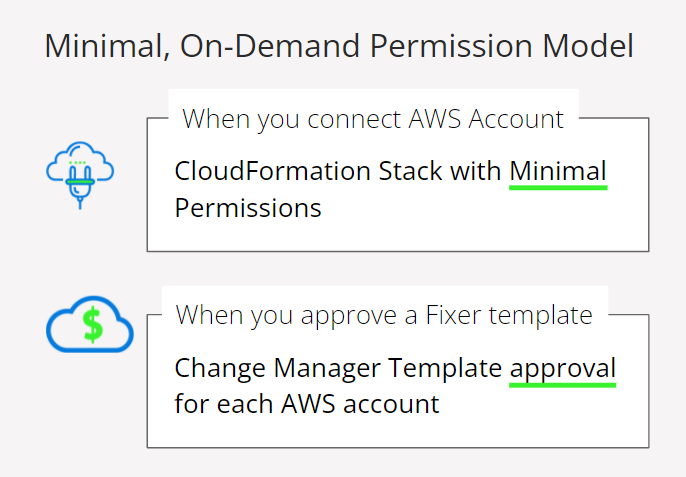
- Connection to AWS Account: You connect your AWS account to CloudFix via a CloudFormation StackSet provided by CloudFix, outlining the permissions needed for its operations.
- Metadata Collection: Utilizes standard AWS tools such as AWS Cost and Usage Reports and CloudWatch to collect necessary data.
- Optimization Recommendations: Finders analyze collected data to identify potential cost savings, presented through the CloudFix dashboard.
- Execution of Optimizations: Execution of Fixers, where applicable, requires your explicit approval of an AWS Systems Manager Automation runbook.
For the full architecture behind this lifecycle — including the CloudTrail audit trail, the approval gate, and how each role's trust policy is scoped — see the CloudFix Trust Center: trust.cloudfix.com/security.
IAM Roles and Permissions
CloudFix does not run under one broad, administrative role. It deploys a set of minimally-scoped, least-privilege IAM roles into your AWS account, each limited to a specific function. These currently include:
- cloudfix-athena-query-execution-role — queries your AWS Cost and Usage Report data via Amazon Athena for cost analysis and reporting.
- cloudfix-finder-role — discovers optimization opportunities. Almost entirely
Describe/List/Getread-only actions, plus a small set of non-destructive writes (such ascloudfix:-prefixed resource tagging) needed for normal operation. - cloudfix-ssm-update-role — authors and deploys SSM Automation runbooks and starts SSM Automation executions on your behalf; cannot modify your resources beyond tagging.
- cloudfix-fixer-approver-role — a role carried over from CloudFix's earlier AWS Systems Manager Change Manager mechanism, still created by the current stack. It plays no part in approving today's Fixer runs — that approval happens when you select a recommendation and click Execute. By default this role trusts only your own account, so it cannot be assumed by CloudFix unless you explicitly enable that trust via the Auto Approve Templates setting.
- cloudfix-ssm-assumed-role — the role that actually performs an approved change. It cannot be assumed by CloudFix; it is invoked only by AWS Systems Manager inside your own account, after approval.
- A small number of helper and cleanup roles supporting auxiliary functions such as post-operation resource cleanup, also scoped to least privilege.
None of these roles carry any long-term credentials, passwords, or access keys. AWS issues each role only dynamically-generated, short-lived temporary credentials (via sts:AssumeRole) at the moment they're needed, and every role CloudFix itself can assume is additionally gated by an sts:ExternalId unique to your tenant.
See CloudFix IAM Roles for the complete, current role-by-role permission listing, and the Trust Center's IAM Role Architecture section for the trust-policy detail behind each role.
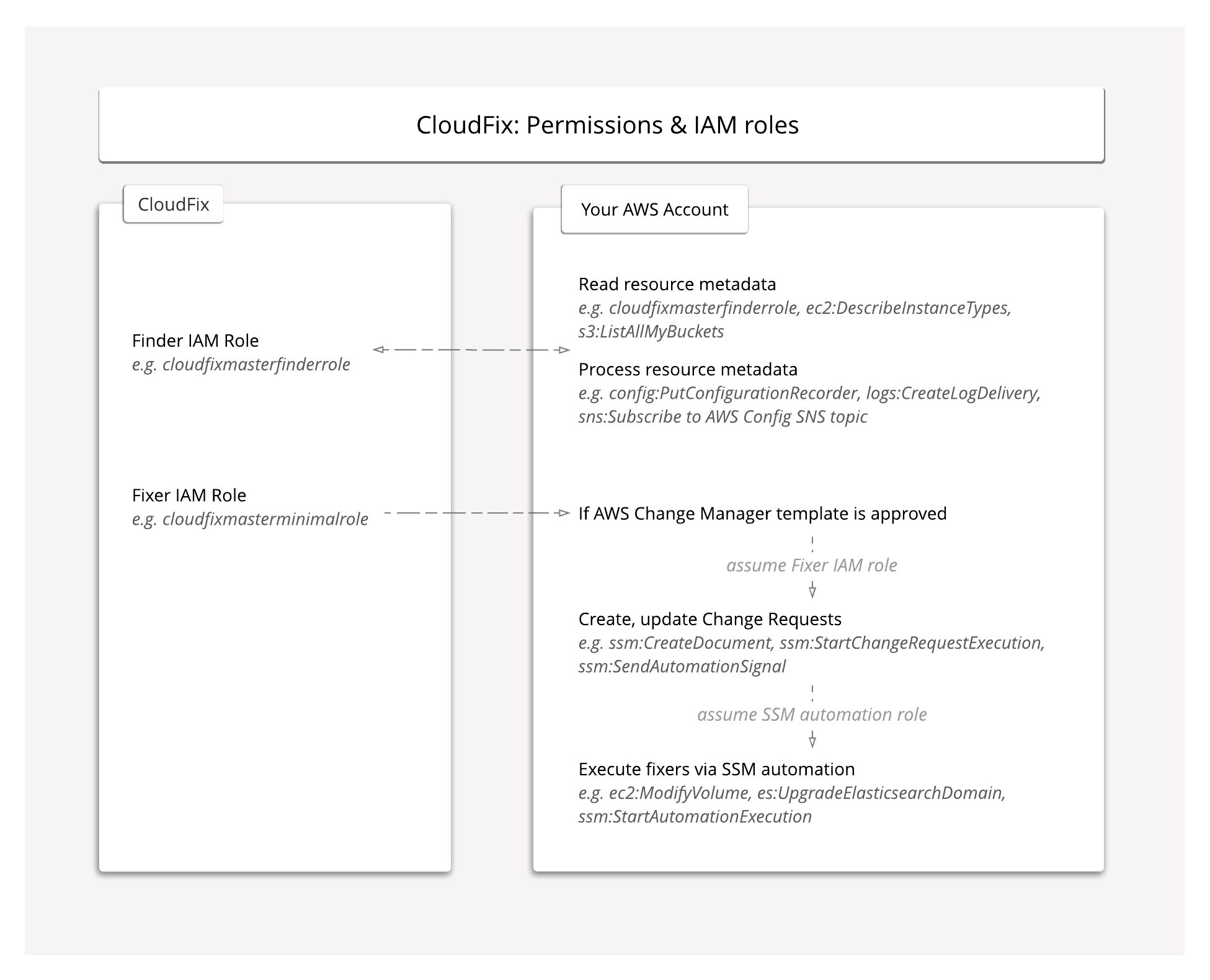
CloudFix is designed with transparency and security at its forefront. Before you approve any actions, you can inspect both the AWS CloudFormation and AWS Systems Manager Automation templates, ensuring you're informed about the optimizations CloudFix proposes for your AWS environment. This model supports a secure and controlled approach to cloud cost optimization, empowering you with the knowledge and control to manage your AWS expenses efficiently.
Here is a discussion on CloudFix's Permission Model:
Related Articles
Security & compliance resources
For CloudFix's current certifications, security architecture, data-handling and sub-processor commitments, see the CloudFix Trust Center:
Priyanka Bhotika
Comments