Overview
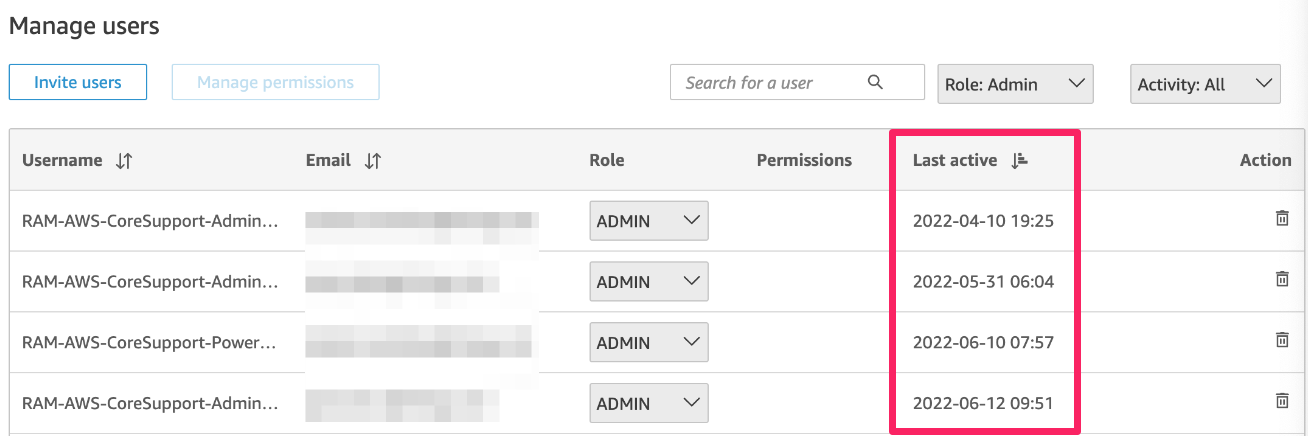
By looking at the user management interface in Quicksight you might notice users who were Last Active more than 30 days ago and despite this, there are no recommendations available in the CloudFix portal under the "Quicksight Remove Idle Users" to remove them.
In this article, we explain under which conditions this can happen.
Information
These are the main reasons why a user with a last active date in Quicksight older than 30 days was not flagged for removal by CloudFix.
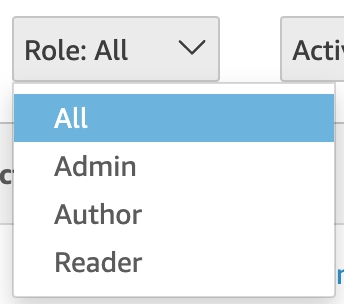
1. The "Quicksight Remove Idle Users" fixer only produces recommendations for users with Admin, Author, Admin Pro, Author Pro, or Reader Pro roles. Standard (free) Readers are excluded — deleting them despite being idle doesn't produce savings, so CloudFix won't produce recommendations for idle standard Readers as it focuses on savings opportunities. Note that Reader Pro users are billable and are targeted by this fixer like any other paid role. This is explained in Quicksight Remove Idle Users
2. The "Last active" date in the Quicksight console doesn't always reflect the actual activity of a user. Other background activities or interactions with Quicksight (like querying a dataset) might not be recorded in the Quicksight console but are valid signs of user activity that CloudFix uses to flag users as active. These activities can be verified using AWS CloudTrail by going to the Event History > Select "User name" in the "Lookup attributes" dropdown and enter the user name in the search box. Check events from "Event source" = "quicksight.amazonaws.com". This way you will see the real date of the last Quicksight event from that user.
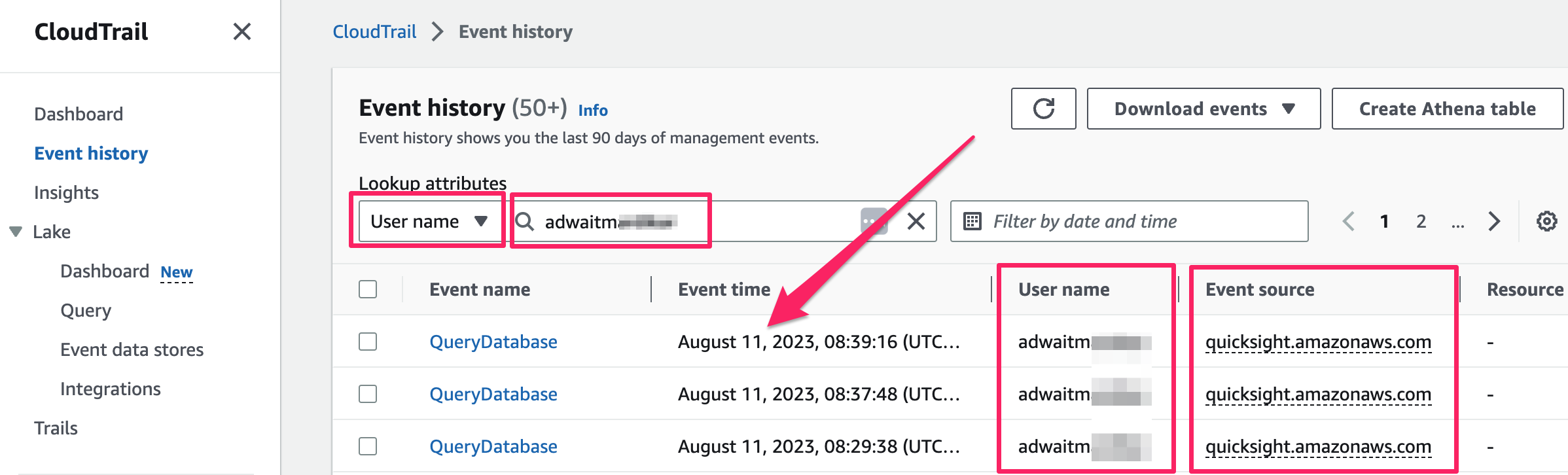
You can also click on the event name to see all the details of the event in JSON format.
For accurate tracking of user activity, always cross-check with AWS CloudTrail and do not rely solely on the Quicksight console's "Last Active" date.
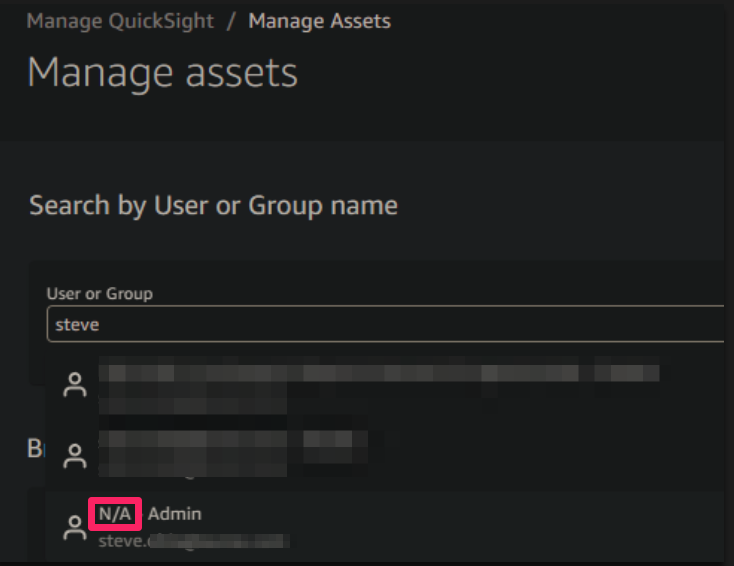
3. The user doesn't have a valid ARN (Amazon Resource Name). In the "Manage Assets" menu you will see "N/A" when looking for the user. You can delete those users manually if you wish to but we recommend checking in CloudTrail that they indeed have no activity as explained above.
4. The idle threshold or a protected-users pattern configured for the fixer is excluding the user. The number of days a user must be inactive before being considered idle is configurable per tenant (from 15 to 90 days, default 30). Additionally, tenants can configure a regex pattern to protect specific usernames from ever being recommended for deletion. If a user's last-active date is within the configured threshold, or their username matches the protected-users pattern, no recommendation will be produced for them regardless of role or activity.
Priyanka Bhotika
Comments